
Login Session Length
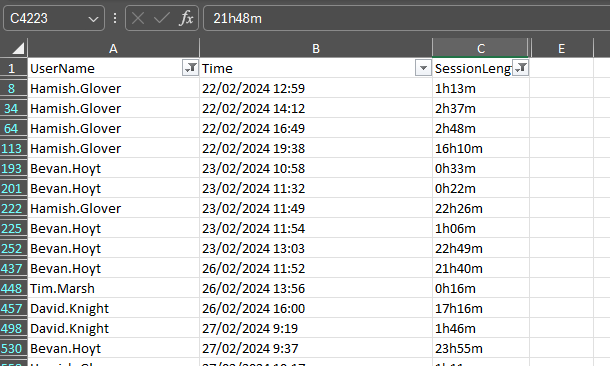
This works out what users and their sesison length
Preview of output (fiiltered)
# Function to convert ticks to a readable time format (hours and minutes)
function Convert-TicksToTime {
    param(
        [Parameter(Mandatory=$true)]
        [long]$Ticks
    )
    return [TimeSpan]::FromTicks($Ticks).ToString('h\hmm\m')
}

# Get all login events
$loginEvents = Get-WinEvent -FilterHashtable @{
    LogName='Security';
    ID=4624, 4625; # Logon and logoff event IDs
} -ErrorAction SilentlyContinue | Sort-Object TimeCreated

# Array to store login information
$logins = @()

foreach ($event in $loginEvents) {
    $eventXML = [xml]$event.ToXml()

    $properties = @{
        'Time' = $event.TimeCreated
        'EventID' = $event.Id
        'UserName' = $event.Properties[5].Value
        'SessionLength' = ''
    }

    # If it's a logoff event, calculate session length
    if ($event.Id -eq 4624) {
        $logoffEvent = $loginEvents | Where-Object { $_.Properties[5].Value -eq $properties['UserName'] -and $_.TimeCreated -gt $event.TimeCreated } | Select-Object -First 1
        if ($logoffEvent) {
            $properties['SessionLength'] = Convert-TicksToTime ($logoffEvent.TimeCreated - $event.TimeCreated).Ticks
        }
    }

    $logins += New-Object PSObject -Property $properties
}

# Export to CSV
$logins | Export-Csv -Path 'LoginInfo.csv' -NoTypeInformation